Taking pictures is hard. Taking visually appealing pictures is harder. Visual appeal is not the point point of a photo, its to tell a story. When taking a photo I want my focus to be on the story, not the visual appeal. This leads to massive over head while editing the photo later, to the point where I like many other might skip this crucial step.
The point of picture is to tell a story, it being visually appealing is simply a plus. If a picture has a poor story, no amount of editing will make the story better. On the other hand, a visually poor photo can tell a great story. Take this picture for example.
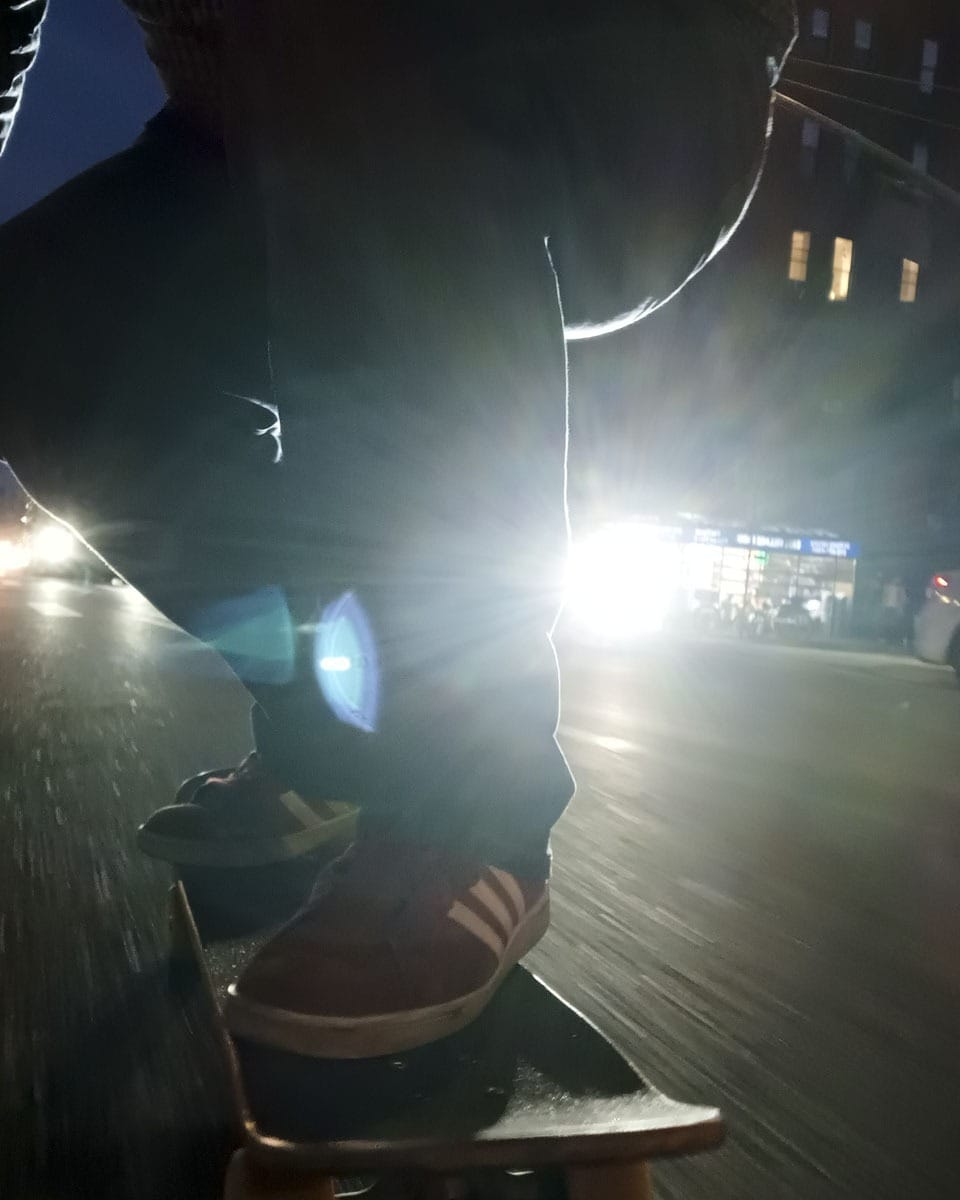
This photo is not only telling a story, its conveying a feeling, its almost like you're on that skateboard yourself. But visually, its grainy, the lighting is bad, and the glare is awful. But the picture itself is good, because its telling a story.
My goal is to take visually appealing photos with minimal effort.
This goal requires the solving of two problems. Firstly, the capturing a the image itself. Secondly, the editing of the image. The first problem can only be solved with practice, patience, and persistence. The first problem is most of the job of a photographer. I am no photographer.
I'd like to focus on the second problem. I believe the key is to reduce the friction between a story and a nice picture. Knowing that a picture would require editing to be visually appealing could, in some cases, stop me from taking the photo all together. Having to transfer an image from my phone to a PC, then opening a photo editing software, is a lot of friction. To avoid this crucial step is to settle with a sub-par photo.
The default IOS image processing pipeline excels at minimizing file size and maximizing available data. Generally an image taken on an iPhone will have really bright shadows, which leads to a washed out look. This is likely intentional as it results in a photo that is good enough to instantly be shared in a majority of situations. No matter what your goal is.
You can reduce the image processing on select iPhone's by shooting in ProRAW. This isn't an actual raw image as it is still processed for purposes such as HDR and noise reduction. That said, there is much less processing happening. Pictures taken in ProRAW almost always have to be edited due to the lack of processing.
You can take high quality photos that don't necessitate editing by using a third party app such as No Fusion or mood. These apps have 'filters' that attempt emulate film cameras, but can be used to do a lot more than that.
They are replacing apple's image processing with their own. And the goal of this pipeline isn't the same as Apple's, here the goal is to make a visually appealing image.

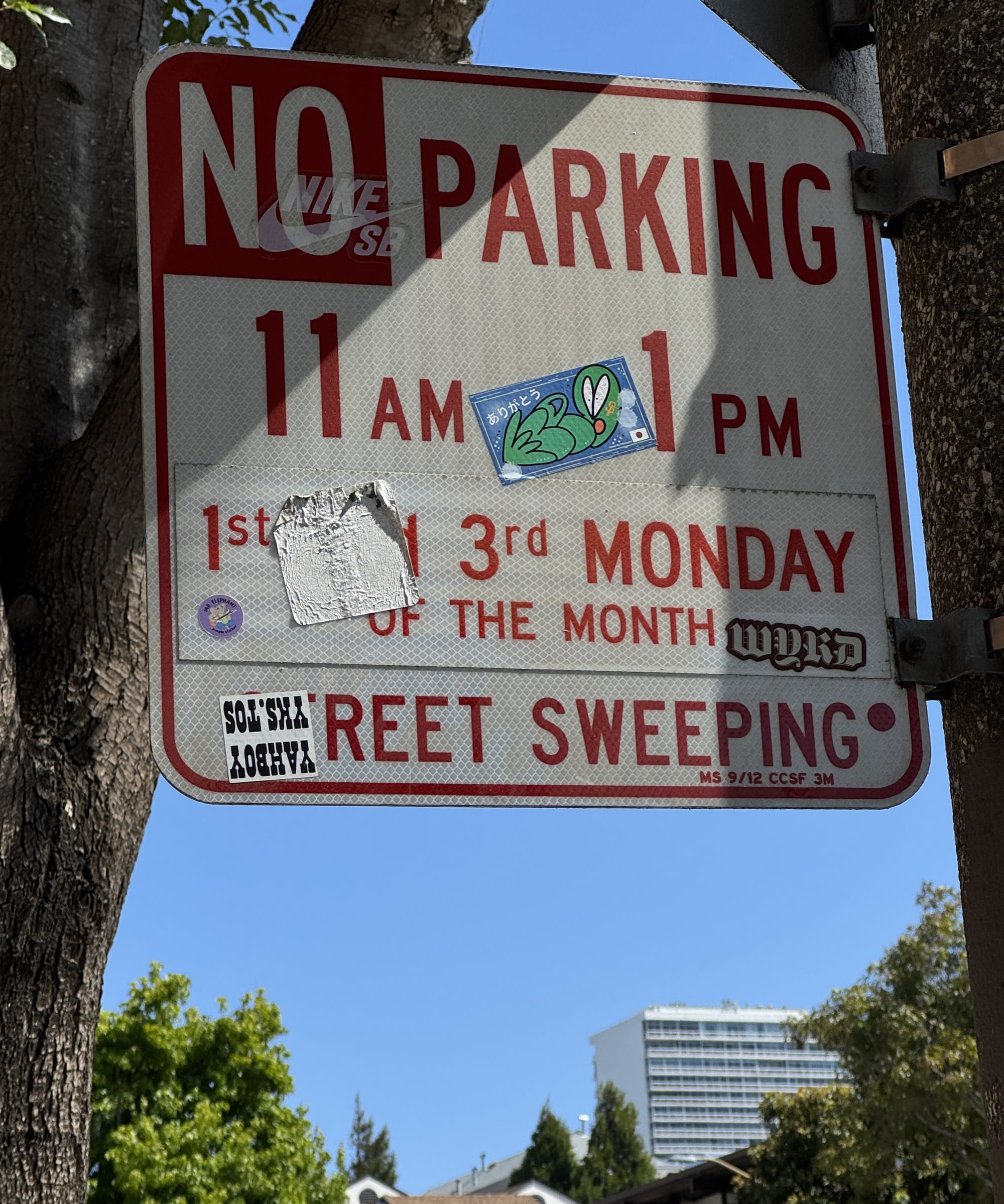
While I do like these pictures, and they are better than they would have been if shot via the default app, I still have some complaints. They could stand with a bit of editing, the first one is too grainy and the second one is over saturated. If I wanted to edit these it would be just as difficult as editing any other image.
I believe No Fusion solves not only the issue of taking visually appealing images easy, but it also makes editing them after the fact not as difficult.
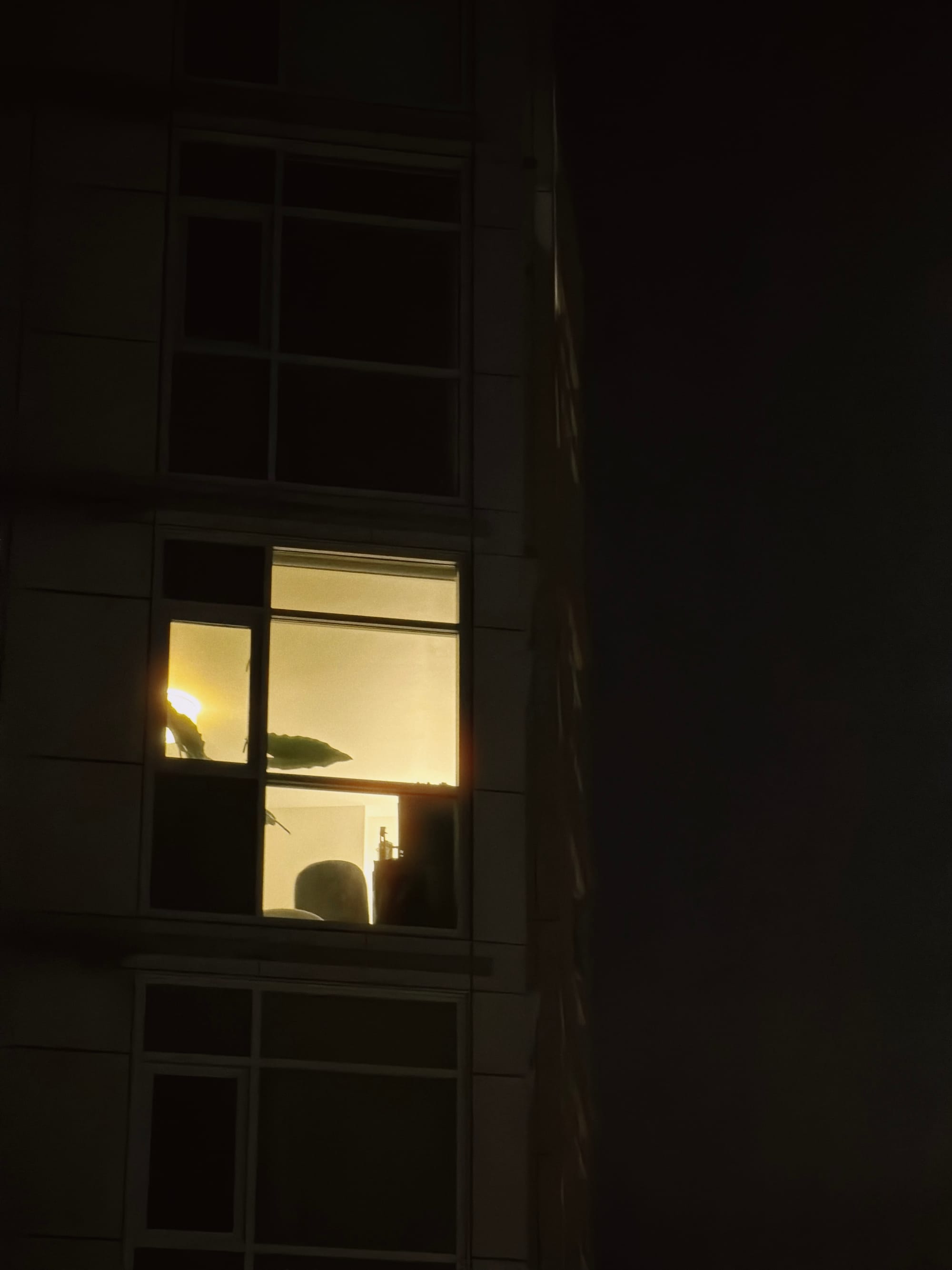
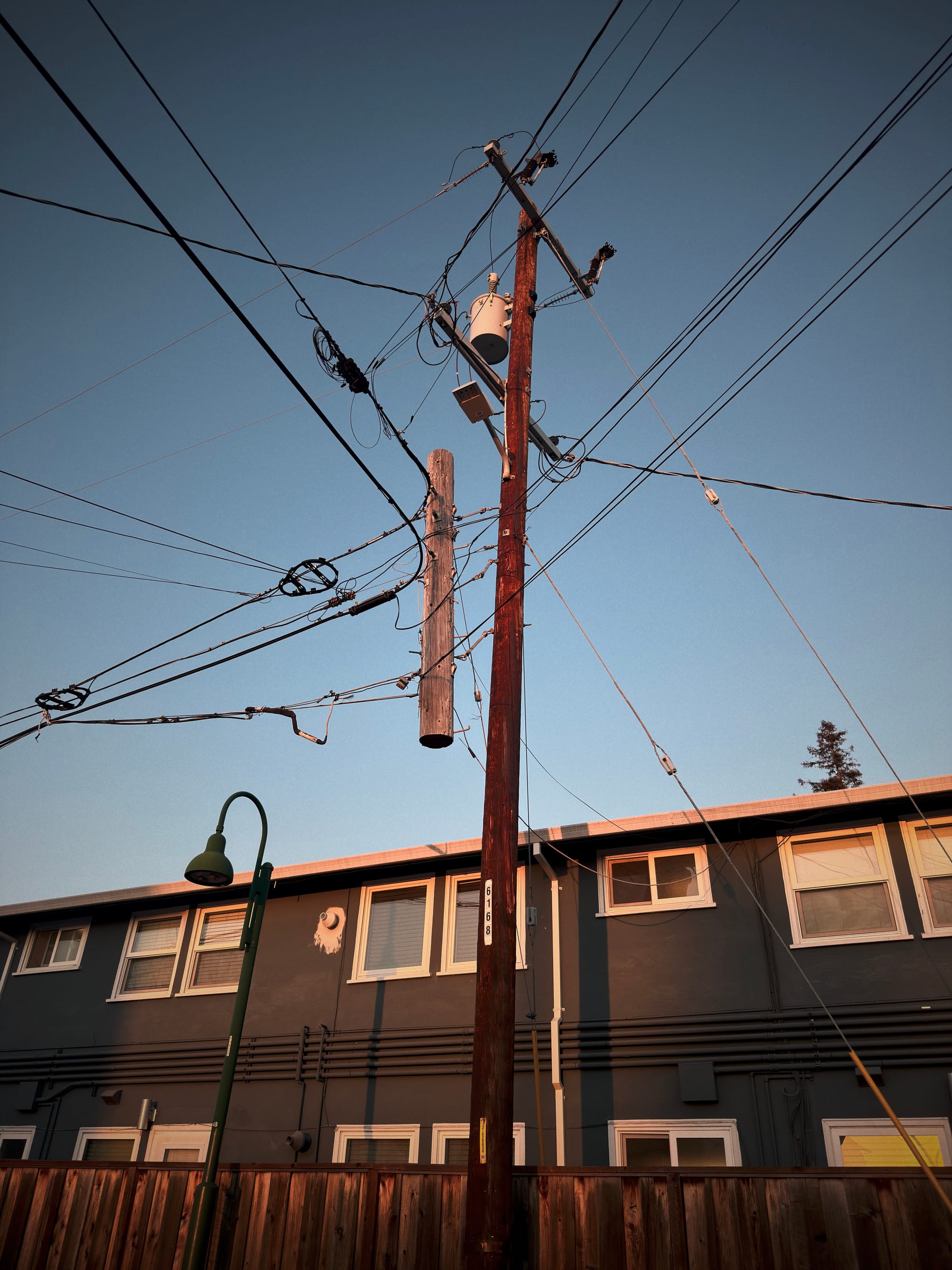
These ones are almost exactly what I envisioned when I took the picture, while they didn't come out of the camera looking exactly like this, it was absurdly easy to get them to look like this.
As a result of No Fusion the limiting factor in my ability to capture a visually appealing photo is no longer the visual appeal itself, but rather its the story. No app will ever make that easier, only practice will.
Artificial Intelegence did not outline, write, review, or otherwise assist in the writing of this article.